Home maintenance apps can be useful memory systems, but they do not know your house well enough to replace inspection, judgment, manuals, or qualified professionals. The best app is the one that lets you build a realistic recurring schedule, attach records, and adjust tasks to the age, equipment, climate, and risk profile of your actual home.
Maintenance-App Reality Check
- Use an app to remember, document, and repeat tasks, not to decide blindly what your home needs.
- Start with safety and equipment-manufacturer requirements, then add seasonal comfort, water, exterior, and cleaning tasks.
- A simple calendar or task manager may outperform a specialized app if it is easier for your household to maintain.
Myth: The Best App Gives You the Biggest Checklist
A long generic checklist feels thorough, but it can create noise. A homeowner in a humid coastal climate, a condo resident, and the owner of an older detached house do not need identical reminders. If an app tells all three people to perform the same tasks on the same dates, it is functioning as a template rather than a maintenance plan.
The better question is whether the tool helps you customize frequency, mark tasks complete, keep notes, attach receipts or photos, and assign responsibility. Those features turn reminders into a useful maintenance history.
Start With Consequence, Not Convenience
Build the schedule in layers. Begin with items where failure can affect safety or cause expensive damage. Smoke and carbon monoxide alarms, water leaks, dryer vents, heating equipment, roof or gutter issues, and known manufacturer service intervals belong above cosmetic chores.
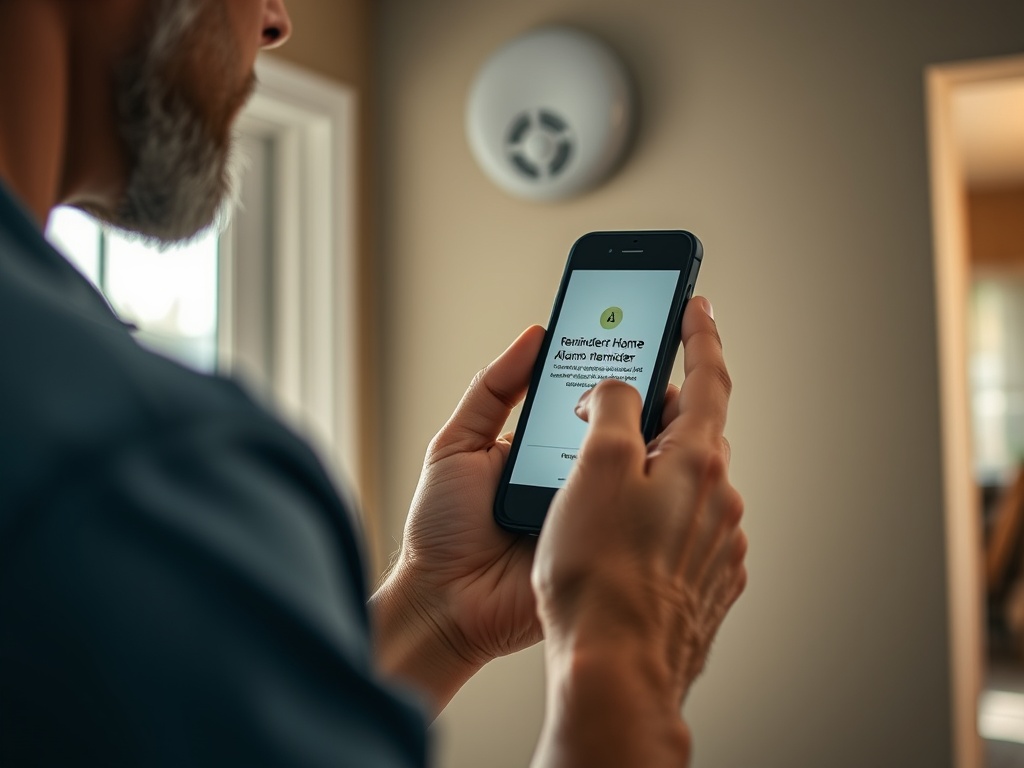
The U.S. Consumer Product Safety Commission regularly reminds households to check smoke and carbon monoxide alarms. A current CPSC seasonal safety reminder is a good example of why safety tasks should be tied to recurring cues rather than memory alone.
Next, add equipment maintenance. ENERGY STAR's HVAC maintenance checklist recommends pre-season professional checkups and routine homeowner actions such as inspecting or changing filters as appropriate. Your equipment manual and service provider should determine the exact interval for your system.
What a Useful Home Maintenance App Should Do
You do not need every possible feature. Prioritize functions that reduce the chance of tasks disappearing:
- recurring reminders with flexible intervals;
- categories by room, system, or season;
- notes for model numbers and service history;
- photo or document attachments;
- shared access for household members;
- task assignment and completion history;
- export or backup options;
- simple rescheduling when a task is intentionally deferred.
A specialized home app may combine these features in one place. A general calendar, notes app, or task manager may do the job just as well. Ease of use matters because a maintenance system that nobody opens is not a system.
Myth: The App Knows the Right Frequency
Frequency is one of the most context-dependent parts of home care. An HVAC filter may need more frequent attention in a home with pets, heavy system use, construction dust, or a high-efficiency filter setup. Gutters under mature trees may need inspection more often than gutters on an open lot. A deck in a wet climate experiences different conditions from one in a dry interior region.
Use app defaults as prompts to verify, not commands. Replace them with intervals from manuals, product labels, local professionals, or site-specific experience. If a reminder consistently arrives too early or too late, adjust it.
Build a Four-Layer Reminder System
Layer 1: Safety
Track smoke and CO alarm checks, fire extinguisher inspection where applicable, dryer vent cleaning, stair and handrail issues, and other household safety tasks relevant to your property.
Layer 2: Water and weather protection
Add roof observations, gutters, downspouts, exterior caulk, plumbing leaks, sump pumps, irrigation winterization, and drainage checks based on climate. Water problems often become more expensive when they remain unnoticed.
Layer 3: Mechanical systems
Include heating and cooling service, filters, water-heater maintenance, ventilation, generators, pumps, or other installed systems. Use the equipment manual as the primary schedule source.
Layer 4: Comfort and appearance
Finally add paint touch-ups, cabinet adjustments, seasonal deep cleaning, window care, and other lower-consequence chores. These matter, but they should not crowd safety reminders off the screen.
Use Records to Make the App Smarter Over Time
The most valuable feature may be the history rather than the reminder. Record when a filter was changed, which size was used, who serviced the furnace, when the roof leak appeared, or which exterior finish was applied. Photos can document cracks, stains, or wear so you can compare them later.
For replacement items, save model and part information without storing sensitive account data unnecessarily. A maintenance record can also help when you sell the home, submit a warranty claim, or explain a recurring issue to a contractor.
When an App Should Tell You to Call Someone
A good maintenance plan includes boundaries. Gas leaks, electrical overheating, structural movement, active roof leaks near electrical systems, sewage backups, fire-door hardware issues, and other higher-risk conditions are not simply boxes to check.
The app can remind you to inspect or schedule service, but it cannot assess hidden damage. When a task requires specialized training, permits, testing instruments, or safe access to height, treat the reminder as a trigger to contact a qualified professional.
If the task is a straightforward cosmetic repair, you may be able to handle it yourself. For example, How to Replace Door Hardware for an Instant Upgrade explains how to approach a common low-complexity hardware swap while recognizing situations that should not be treated as a casual DIY job.
Common App Mistakes
Adding hundreds of tasks on day one. Start with the high-consequence items and build gradually.
Using the default interval forever. Revise schedules as you learn how the house actually behaves.
Logging completion without notes. A check mark tells you little about what was found, changed, or purchased.
Ignoring seasonal context. A reminder is more useful when it arrives before the season in which a system will be stressed.
Keeping everything on one person's phone. Shared household responsibilities are easier to maintain when the system is visible to the people who need it.
Treating notifications as inspections. The app can prompt an action; it cannot verify that the roof, appliance, alarm, or drain is actually in good condition.
Make the Calendar Fit the House
A practical annual rhythm might place cooling-system preparation before hot weather, heating preparation before cold weather, exterior water-control checks before the rainy or freezing season, and decluttering or deep-cleaning tasks around household routines.
If clutter makes maintenance access difficult, pair the system with How to Create a Seasonal Decluttering Checklist. Clearing mechanical closets, utility areas, and storage zones can make inspections easier and reduce the chance that leaks or damage remain hidden.
Use the App as a Memory Aid, Not a Maintenance Plan
The best home maintenance app is not necessarily the one with the most templates. It is the tool your household will actually update, and it should point back to manuals, inspections, local conditions, and professional advice when those sources matter. Keep the system small enough to trust and detailed enough to learn from.
Home information is provided for general educational purposes and does not replace professional structural, electrical, plumbing, HVAC, fire-safety, or legal advice. Follow manufacturer instructions and applicable local codes.[/